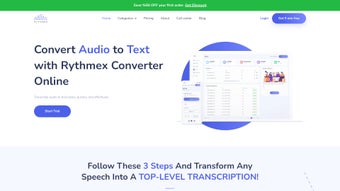

Download Rythmex – Fast Audio to Text Converter Online
Overview of Rythmex
Rythmex is a modern, web‑based audio‑to‑text converter built for speed, accuracy, and ease of use. Whether you’re a student transcribing lecture recordings, a legal professional turning courtroom audio into searchable documents, or a content creator needing quick subtitles, Rythmex offers a single platform that handles a wide range of audio and video formats. Supported formats include MP3, XSPF, WMA, WAV, SWF, OGG, and MXF, ensuring that almost any media file you encounter can be processed without the need for additional conversion tools.
The service provides a clean, drag‑and‑drop upload interface, an advanced editor with a powerful “search & replace” function, and output options in both plain‑text (.txt) and portable document format (.pdf). New users receive a complimentary 30‑minute transcription credit, allowing them to test the engine before committing to a paid plan. Rythmex also offers multiple account tiers—from a free tier with limited minutes to premium subscriptions with centralized billing and bulk‑purchase options—making it a versatile choice for both individual and enterprise users.
Key Features That Set Rythmex Apart
- Broad Format Compatibility: Handles MP3, XSPF, WMA, WAV, SWF, OGG, MXF, and many more without extra conversion steps.
- Instant Cloud Processing: Files are uploaded to a secure server, transcribed in real time, and never stored long‑term unless you choose to save them.
- Advanced Editing Suite: Built‑in editor with “search & replace,” timestamp insertion, and speaker labeling to streamline large transcripts.
- Multiple Export Options: Export results as .txt for raw data or .pdf for polished, printable documents with optional watermarks.
- Free 30‑Minute Trial: New accounts receive a half‑hour of transcription credit to evaluate accuracy and speed.
- Scalable Pricing Plans: From pay‑as‑you‑go minutes to unlimited enterprise bundles, all with centralized billing for easy management.
- Secure Data Handling: SSL encryption, GDPR‑compliant storage policies, and automatic deletion of files after processing.
- API Access: Developers can integrate Rythmex into their own applications via RESTful endpoints, enabling automated workflows.
Installation, Usage & Compatibility
Because Rythmex is a fully web‑based solution, there is no traditional “installation” process. Users simply visit the official website, create a free account, and begin uploading files directly from their browser. The platform supports all modern browsers—including Chrome, Firefox, Edge, and Safari—on desktop and mobile devices. For users who prefer a more integrated experience, Rythmex also offers a lightweight desktop wrapper for Windows, macOS, and Linux, which essentially launches the web app in a dedicated window for quicker access.
Step‑by‑Step Guide to Getting Started
- Create an Account: Navigate to rythmex.com, click “Sign Up,” and verify your email address.
- Upload Your Media: Drag and drop an audio or video file into the upload zone or click “Browse” to select from your device.
- Select Language & Settings: Choose the spoken language, adjust speaker separation, and enable timestamping if needed.
- Start Transcription: Click “Convert,” and the cloud engine will begin processing. Progress is displayed in real time.
- Edit & Refine: Once the transcript appears, use the built‑in editor to correct errors, apply “search & replace,” or add speaker tags.
- Export Your Text: Choose either .txt for raw data or .pdf for a formatted document, then download directly to your device.
Supported Operating Systems: Windows 10/11, macOS 11+, Linux (Ubuntu, Fedora), iOS 13+, Android 8+. Because the core service runs in the cloud, performance is consistent across platforms as long as you have a stable internet connection.
For power users, the optional desktop wrapper offers offline caching of the UI, but all transcription still occurs on Rythmex’s secure servers. This hybrid approach guarantees fast processing speeds while keeping your local system resources free for other tasks.
Pros and Cons of Rythmex
Pros
- Extensive format support eliminates the need for pre‑conversion.
- Fast, cloud‑based processing delivers results in minutes.
- Advanced editor with “search & replace” saves time on large projects.
- Free 30‑minute trial lets users test accuracy before purchase.
- Secure SSL encryption and GDPR compliance protect sensitive data.
- Flexible pricing models suit individuals, small teams, and enterprises.
- API access enables automation and integration with existing workflows.
Cons
- Requires an internet connection; no full offline mode.
- Premium plans can become costly for high‑volume transcription users.
- Audio quality heavily influences accuracy; noisy recordings may need manual cleanup.
- Limited language support compared to some specialized AI transcription services.
Rythmex delivers a solid blend of speed, accuracy, and usability. Its web‑first design means you can start transcribing from any device without worrying about compatibility. While the pricing could be tighter for power users, the feature set—including a powerful editor and API—makes it a top contender for both casual and professional transcription needs.
Frequently Asked Questions
How accurate is Rythmex’s transcription engine?
Rythmex uses a combination of neural speech‑to‑text models and language‑specific dictionaries. In clean audio conditions, accuracy typically ranges from 92‑96%. Background noise, overlapping speakers, or strong accents can lower the score, but the built‑in editor lets you quickly correct any errors.
Can I use Rythmex on mobile devices?
Yes. Rythmex’s responsive web interface works on iOS and Android browsers. The mobile UI includes the same drag‑and‑drop upload, transcription progress bar, and editor features as the desktop version.
What file size limits apply to uploads?
Free accounts can upload files up to 200 MB per file, while paid tiers increase the limit to 2 GB. Larger files can be split into smaller segments before uploading to stay within the quota.
Is there an API for developers?
Yes. Rythmex provides a RESTful API with endpoints for uploading media, checking transcription status, and retrieving results. Documentation and API keys are available in the user dashboard for all paid plans.
How does Rythmex ensure data privacy?
All data is transmitted over HTTPS, stored temporarily in encrypted form, and automatically deleted 24 hours after processing unless you choose to keep the transcript in your account. Rythmex complies with GDPR, CCPA, and other major privacy regulations.
Conclusion – Should You Download Rythmex?
Rythmex stands out as a fast, secure, and feature‑rich audio‑to‑text solution that caters to a broad audience—from students needing quick lecture notes to legal teams processing hours of courtroom recordings. Its web‑first design eliminates platform friction, while the advanced editor and export options streamline post‑transcription workflows. The free 30‑minute trial gives prospective users a risk‑free way to gauge accuracy, and the scalable pricing ensures you only pay for what you need. If you’re looking for a reliable, cloud‑powered transcription tool that balances ease of use with professional capabilities, download Rythmex today and experience seamless conversion of audio and video into editable text.



.png)



